> ## Documentation Index
> Fetch the complete documentation index at: https://docs.cookbook.dev/llms.txt
> Use this file to discover all available pages before exploring further.
# Webflow Integration
> Add Ask Cookbook to Webflow sites
Integrate Ask Cookbook into your Webflow website through the dashboard.
## Setup steps
**1. Access site settings**
1. Open your [Webflow dashboard](https://webflow.com/dashboard)
2. Navigate to "Site settings"
**2. Open custom code section**
1. Click on the "Custom code" tab in the site settings
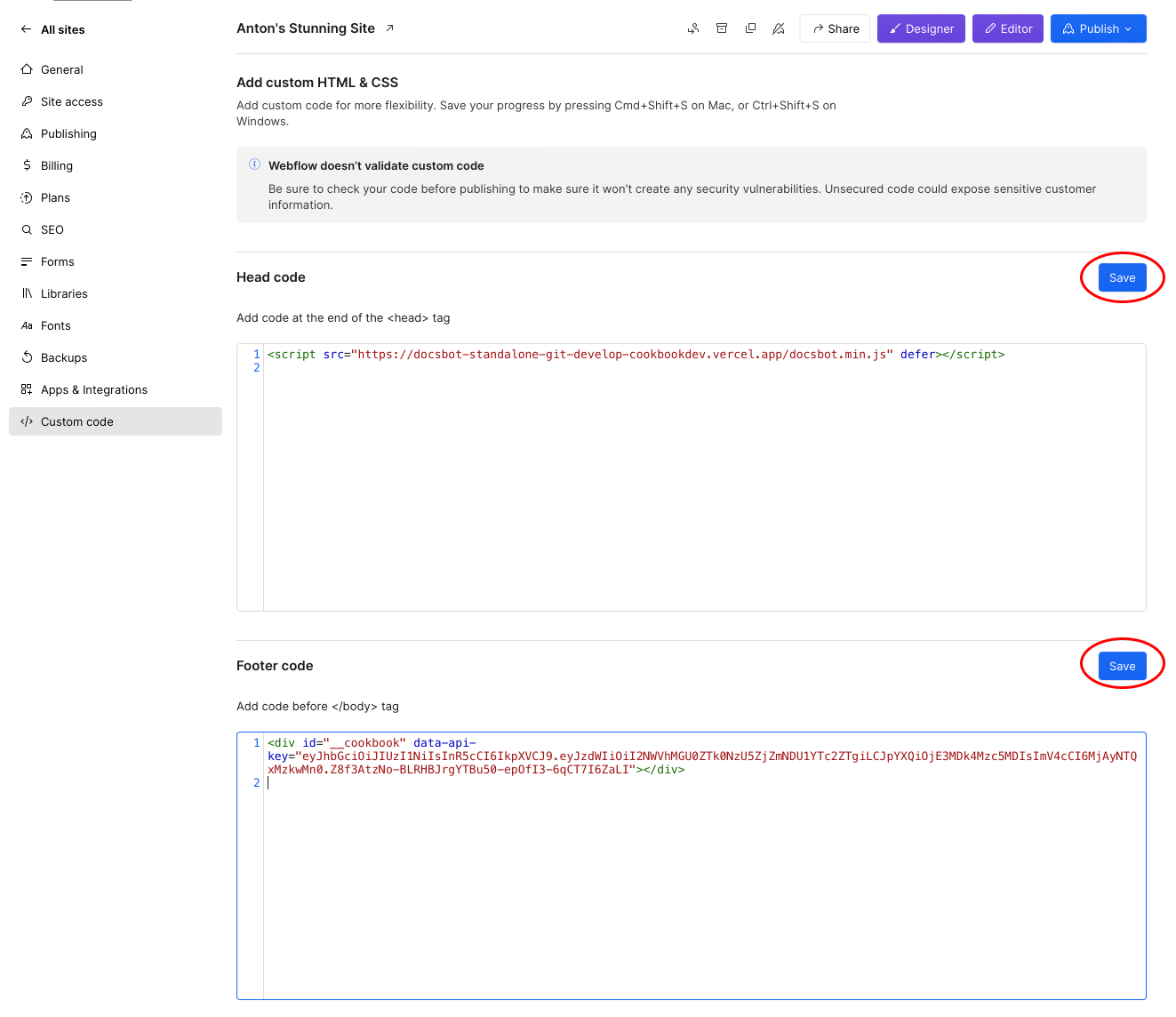
**3. Add script to head**
Add the following code to the "Head code" section:
```html theme={null}
```
**4. Add div to footer**
Add the following code to the "Footer code" section:
```html theme={null}
```
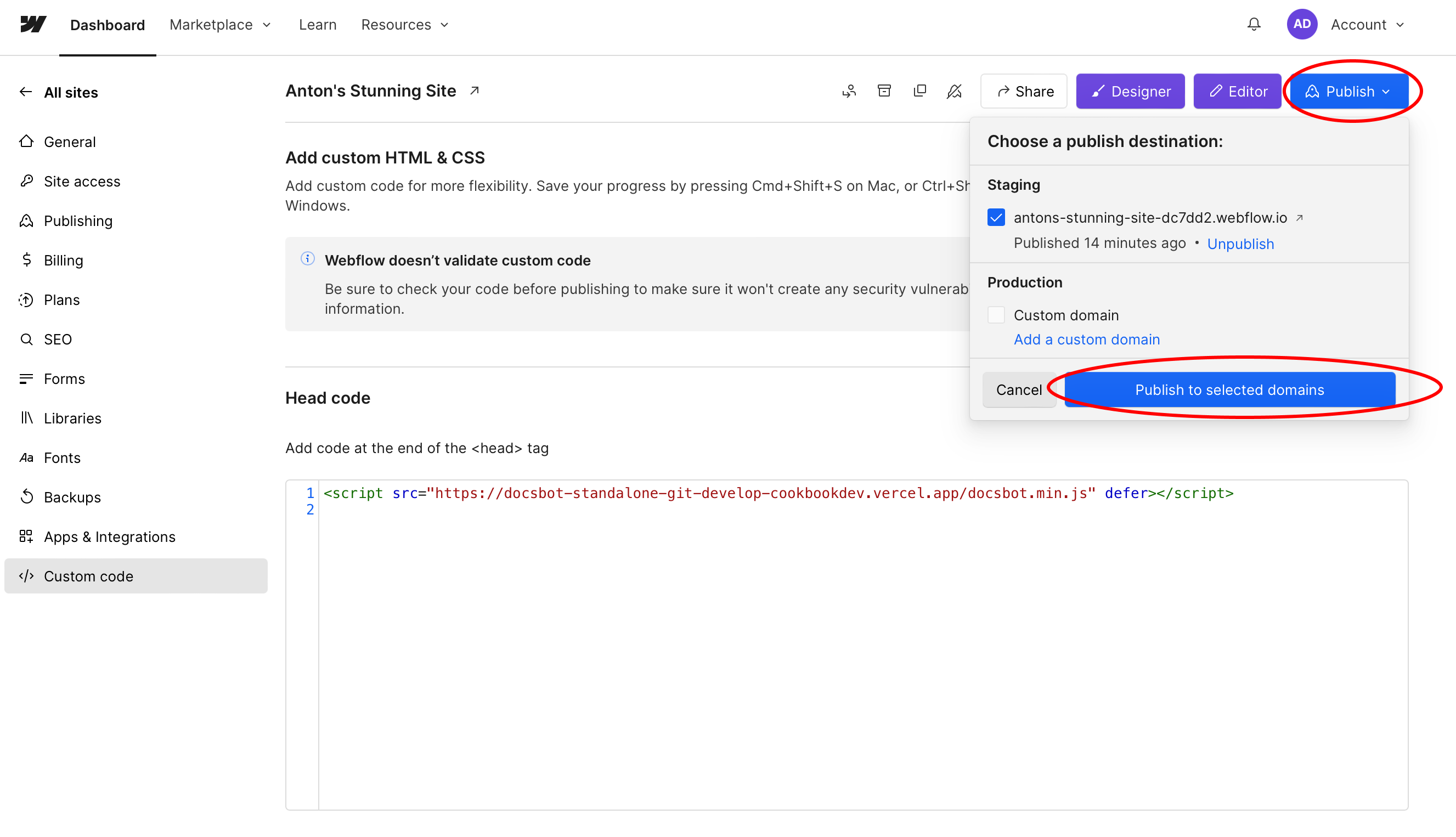
**5. Publish your site**
Save the changes and publish your Webflow site.
## Screenshots


> [!WARNING]
>
> Remember to replace `YOUR_API_KEY_HERE` with your actual API key. Contact [tyler@cookbook.dev](mailto:tyler@cookbook.dev) to get your key.
> [!NOTE]
>
> Having trouble with the integration? Contact us at [tyler@cookbook.dev](mailto:tyler@cookbook.dev) for help.
This documentation is built and hosted on [Mintlify](https://mintlify.com), a developer documentation platform.